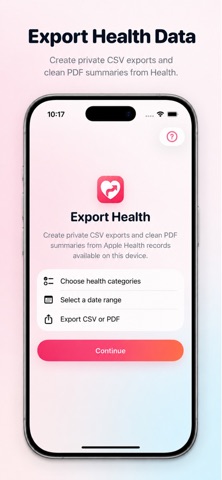
Export Health helps you turn selected Health records into clean CSV files and readable PDF summaries. Choose the health categories you want, select a date range, and export the records Apple Health makes available on your device. Use CSV files for spreadsheets, backups, and personal archives, or create a PDF summary with simple cards, trends, and data coverage details. Export Health is designed for people who want more control over their own health records without creating an account, uploading data, or dealing with complicated dashboards. What you can export: • Steps • Active Energy • Walking + Running Distance • Sleep Analysis • Flights Climbed • Heart Rate • Resting Heart Rate • Body Weight Two export formats CSV Export Create a clean raw-data CSV file that can be saved, shared, opened in Numbers or Excel, or kept as a personal archive. PDF Summary Create a readable health summary with key metrics, monthly trends, selected date range, and data coverage information. Useful for personal review or sharing with a doctor, trainer, or family member. Private by design Export Health reads only the health categories you choose. Your data stays on your device unless you decide to save, share, or export the file somewhere else. Important note: Export Health can only export records Apple Health makes available on your device. If older Health data was not restored, synced, or stored on this device, it may not appear in your export. Export Health does not provide medical advice, diagnosis, treatment, or health recommendations.