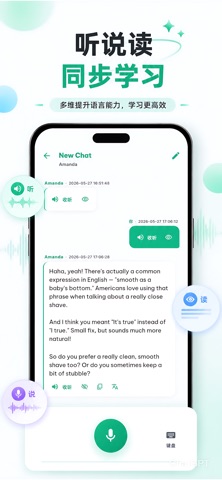
XlangAI is a speaking-practice client for learners who want to improve oral skills in any language. Connect to a server you choose—self-hosted or operated by your organization—and practice real conversations with an AI language coach. KEY FEATURES • Multi-language practice — Select your native language and target language, then start guided conversations. • Voice-first learning — Hold to record, transcribe on device or via your server, and send messages naturally. • AI coach replies — Hear responses in selectable voice roles; show or hide text as you prefer. • Session history — Continue recent conversations and track practice over time. • Usage insights — View session counts and conversation activity from your connected server. • Flexible sign-in — Phone, SMS, Google, or Sign in with Apple (depending on server configuration). • Your server, your data — Learning data is processed by the server instance you connect to; configure your endpoint on first launch. HOW IT WORKS 1. Enter your server URL (or use a recommended public instance if available). 2. Sign in or register on that server. 3. Pick languages and a voice role, then tap Start Practice. 4. Speak, listen, and review your progress in the Analysis tab. IMPORTANT XlangAI is a client app. Accounts, conversations, quotas, and billing are managed by the server you connect to. Review that operator’s policies before use. Privacy Policy: https://xlangai.com/privacy Terms of Service: https://xlangai.com/terms Official website: https://xlangai.com Questions or support: support@xlangai.com