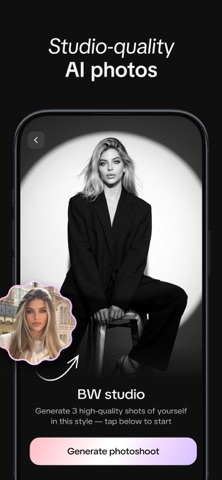
Go for GIO, your pocket-sized AI photo studio! Create professional-looking headshots, try new outfits, swap backgrounds, and more - in seconds. Your polished headshot is just a tap away - no need to schedule a studio session! Whether you’re a workspace professional looking to refresh your LinkedIn profile, a connection seeker wanting to stand out on social apps, or anyone in between exploring new looks, GIO helps you present your best digital self with AI-powered enhancements. What we offer: ► Photorealistic portraits: Upload one photo and get a refreshed version in a new style, generated by our AI. ► Outfit generator: Instantly update your look with a variety of style options—perfect for any occasion. ► Background changer: Move your photo to any scene to match your professional or creative vibe. ► Hairstyle tool: Explore sleek, office-ready styles or bold, statement-making looks in just a tap. ► Catalog of styles: Browse curated looks on our Discover page, with new styles added regularly. ► Intuitive editing UI: Apply any style easily with our friendly interface for polished results every time. GIO is more than a photo editor - it’s your AI-powered studio for professional-looking headshots, profile pictures, and outfit updates. Try GIO Premium to unlock all features and take your photos further. If you’d like to learn more, here are a couple of links: Our Terms of Use are here: https://gioapp.ai/term-of-use/ Our Privacy Policy’s here: https://gioapp.ai/privacy-policy/ Got a feature idea that could make GIO even better? We'd love to hear from you! Send your suggestions to support@gioapp.ai and help shape the future of your favorite editing app.